Let’s Encrypt Integration Guide
Prerequisites
Before beginning, ensure the following:
- CertSecure Manager is fully operational.
- You have administrative privileges in CertSecure Manager.
- Your CertSecure Manager account has “Manage Certification Authorities” permission.
- You have access to:
- A valid Let’s Encrypt ACME URL (e.g., https://acme-v02.api.letsencrypt.org/directory for production or https://acme-staging-v02.api.letsencrypt.org/directory for staging).
- The domain(s) you wish to obtain certificates for.
- Domain validation credentials from your DNS Provider.
Note: Let’s Encrypt uses the ACME (Automated Certificate Management Environment) protocol for automated certificate issuance and renewal. Ensure your DNS provider supports API-based validation for automated domain verification.
Deployment Steps
-
Navigate to Connectors Page
In CertSecure UI:
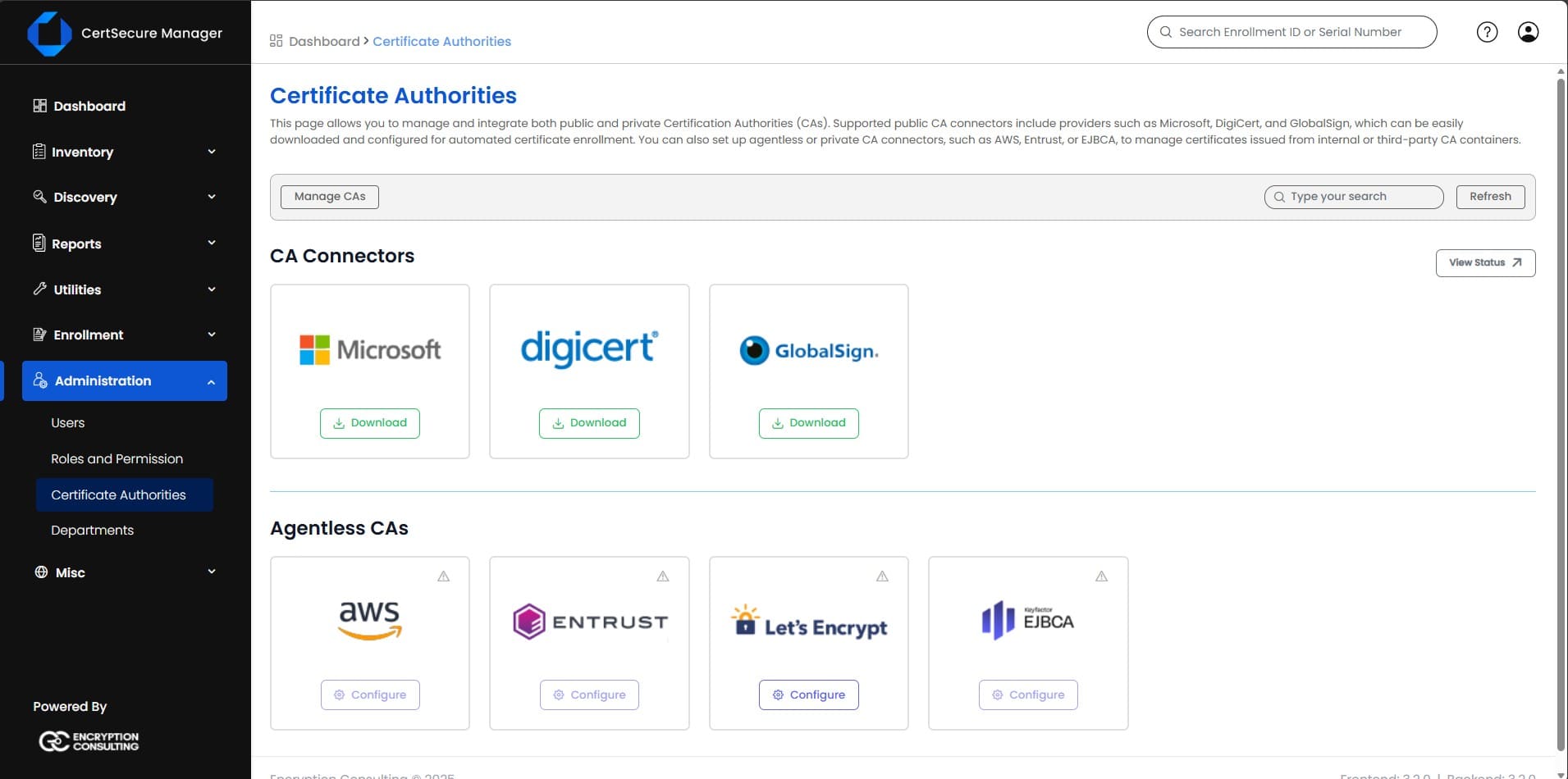
- Go to Administration > Certificate Authorities.
-
Under Agentless CAs, select Configure under Let’s Encrypt.
-
Configure ACME URL
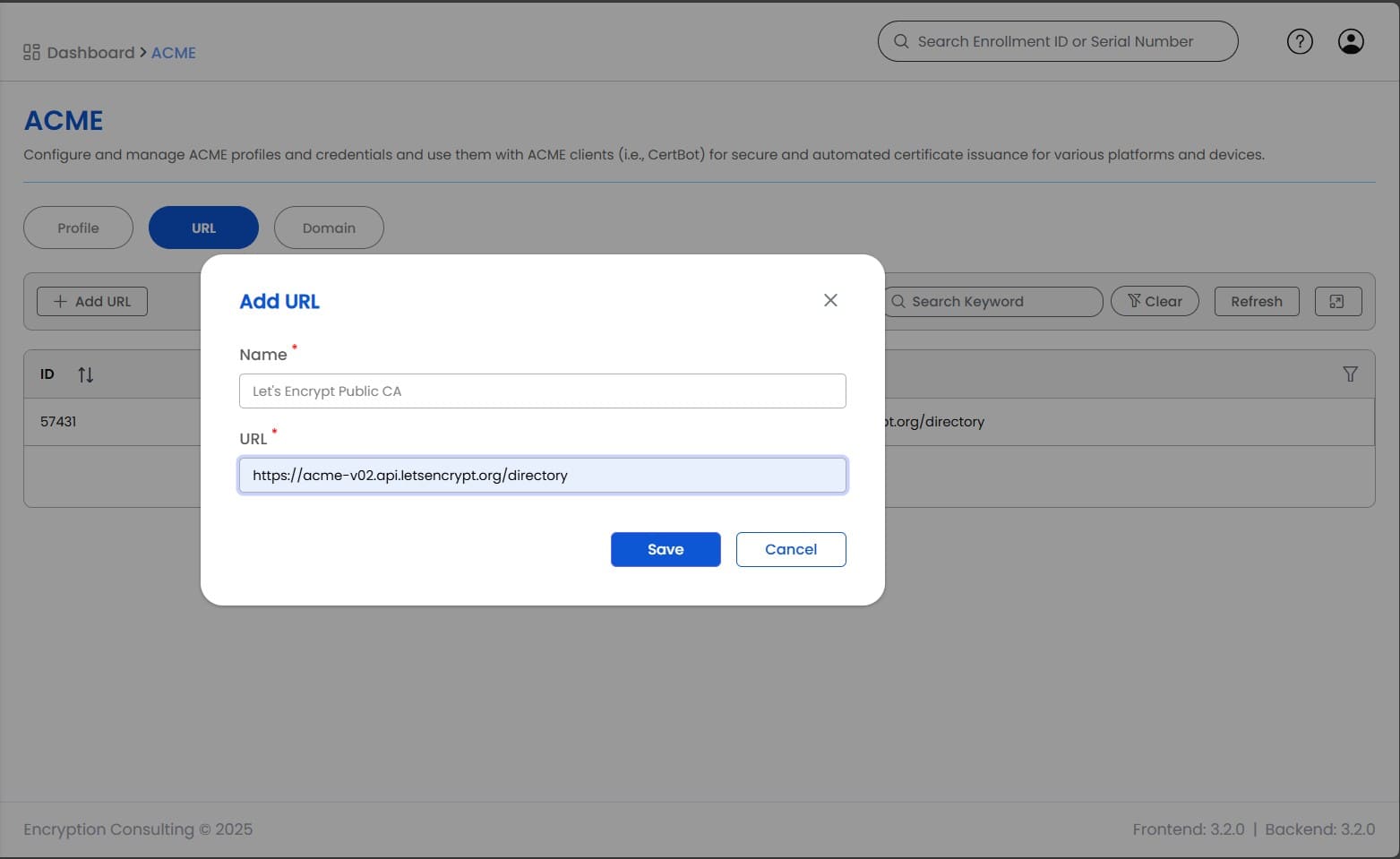
On the ACME Configuration page:
- Enter Connector Name (e.g., LetsEncrypt_Production or LetsEncrypt_Staging).
-
Enter the Let’s Encrypt ACME URL:
- For Production: https://acme-v02.api.letsencrypt.org/directory
- For Staging/Testing: https://acme-staging-v02.api.letsencrypt.org/directory
Note: Use the staging URL for testing to avoid rate limits during initial setup.
-
Add Domain with Credentials
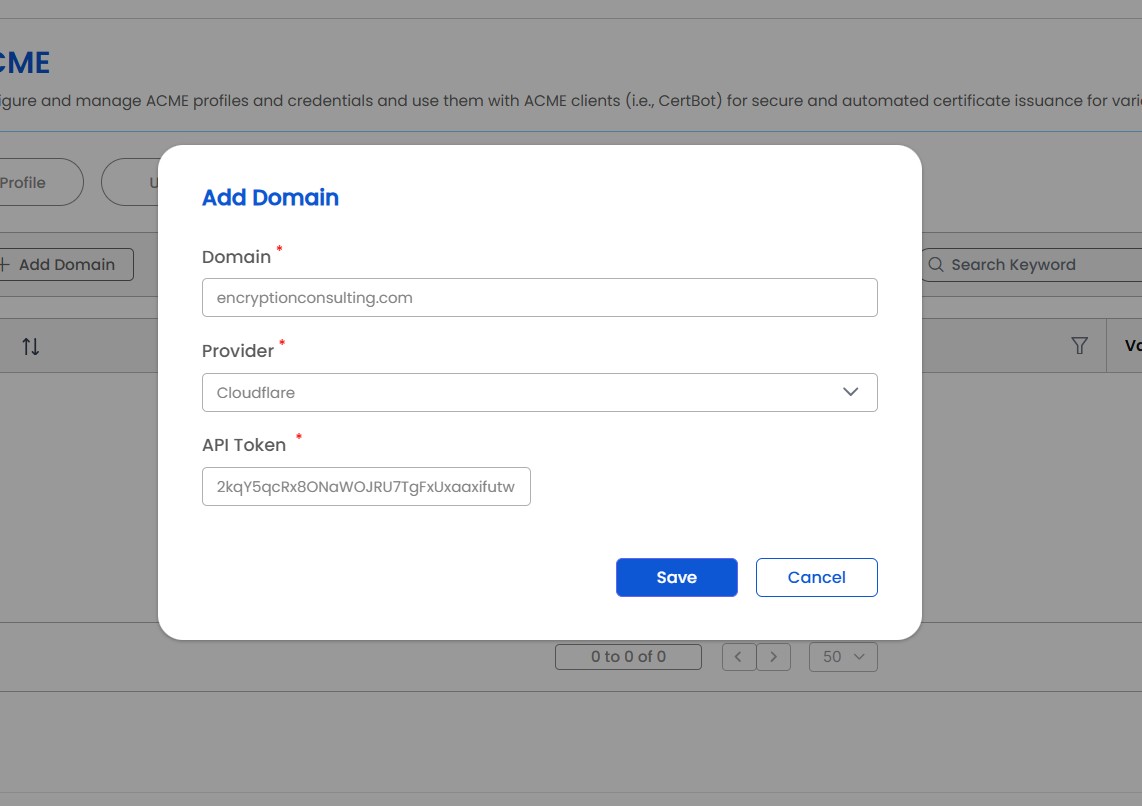
On the Domain Configuration page:
- Enter the Domain Name you want to validate (e.g., example.com).
- Select your DNS Provider from the dropdown.
-
Enter the DNS Provider Credentials:
- API Key or Access Token
- Secret Key (if required)
- Additional authentication parameters as needed by your DNS provider
- Click on save
-
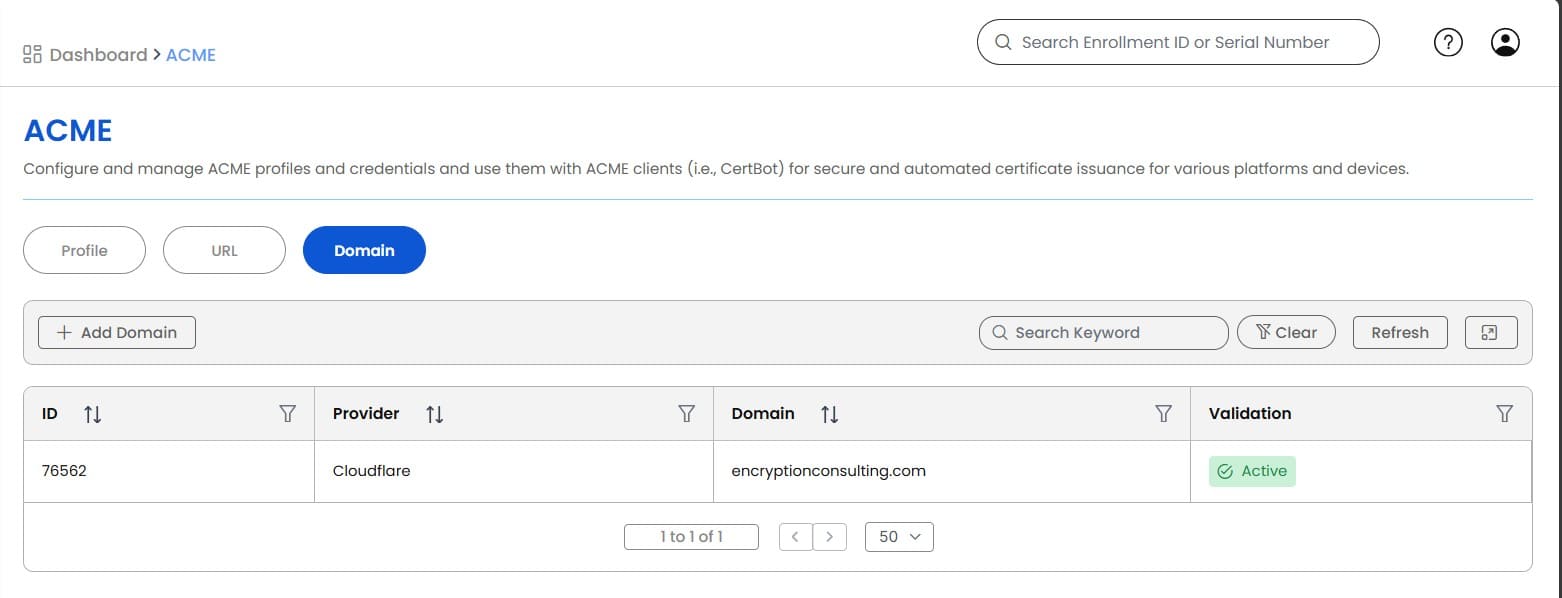
Domain Auto-Validation
- After saving the CertSecure will automatically validate the domain for ACME use through DNS-01 challenge.
- Wait for the validation status to show Active.
-
Verify CA Availability
In CertSecure UI:
- Go to Administration > Certificate Authorities > Manage CAs
- Verify that Let’s Encrypt appears in the list of available Certificate Authorities.

Post-Installation Verification
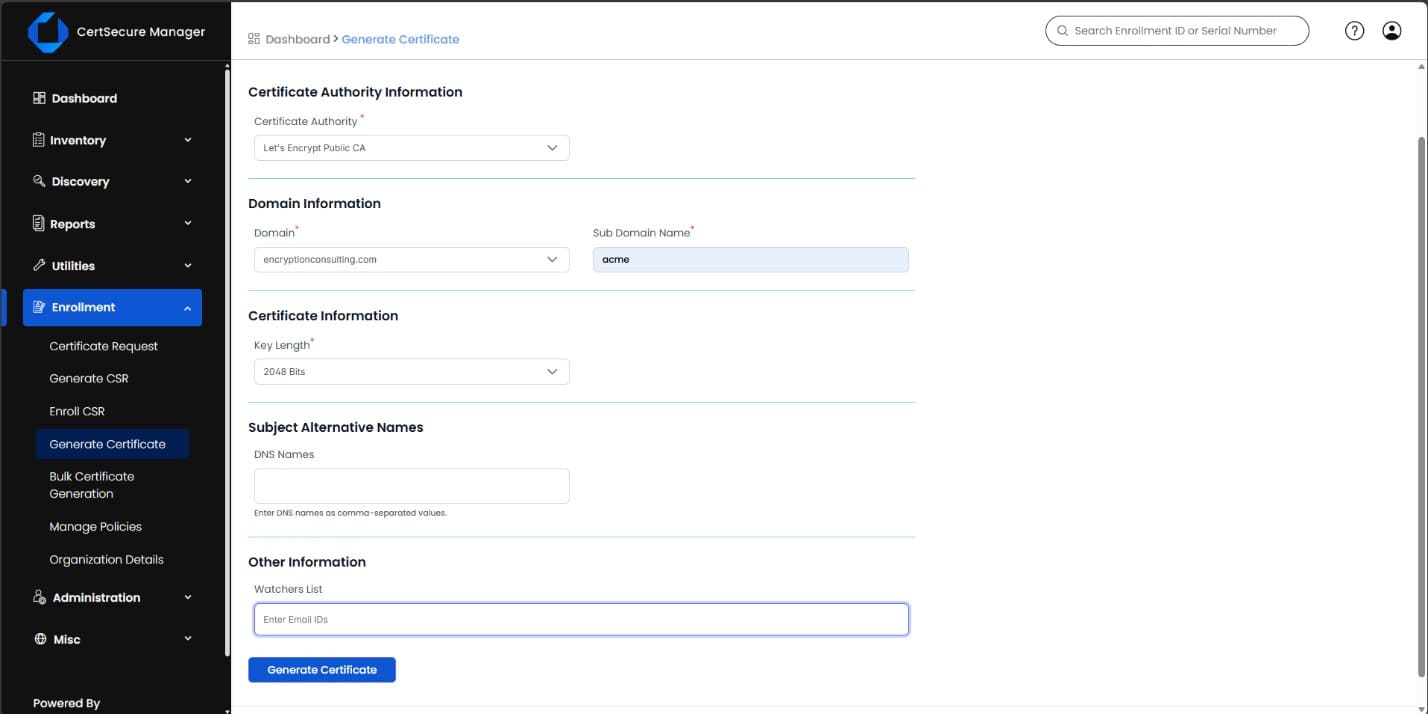
- Navigate to Enrollment > Generate Certificate
- Select Let’s Encrypt as the Certificate Authority.
- Request a test certificate to verify that the integration is working correctly.