- Quick Answer: What Is a CAA Record?
- Key Takeaways
- Who Should Care About CAA Records
- What Is a CAA Record?
- How CAA Records Define Authorized Certificate Authorities
- Understanding the issue, issuewild, and iodef Tags
- CAA Tag Reference: issue, issuewild, and iodef
- Why CAA Records Are Essential for Domain Security
- How Certificate Authorities Validate CAA Records
- CAA Configuration: Requirements, Failure Modes, and Monitoring Signals
- Best Practices for Configuring and Managing CAA Records
- How Encryption Consulting Can Help
- Conclusion
- Frequently Asked Questions
In the world of Public Key Infrastructure (PKI), trust matters more than anything. Organizations spend a lot of time and money securing their domains with SSL/TLS certificates, but many do not think about who is actually allowed to issue those certificates. That gap can cause serious problems. CAA records are a simple DNS tool that lets domain owners decide, clearly, which Certificate Authorities are allowed to issue certificates for their domain.
If your security program does not yet use DNS CAA records, this guide will walk you through what they are, how they work, and why every organization should be using them.
Quick Answer: What Is a CAA Record?
A CAA (Certification Authority Authorization) record is a DNS resource record (RFC 6844, updated RFC 8659) that tells Certificate Authorities which ones are permitted to issue SSL/TLS certificates for your domain. Since September 2017, all publicly trusted CAs must check CAA records before issuing. A domain without CAA records allows any CA to issue certificates for it. Three tags control issuance: issue, issuewild, and iodef.
Key Takeaways
- CAA records are a DNS issuance control standardized in RFC 6844 (updated RFC 8659) that restricts which Certificate Authorities can issue SSL/TLS certificates for a domain. Since September 2017, the CA/Browser Forum Baseline Requirements mandate that all publicly trusted CAs check CAA records before issuing any certificate. A CA not listed must refuse; a SERVFAIL during the lookup must also cause refusal (fail-secure behavior).
- A domain with no CAA records at any level in the DNS hierarchy allows any publicly trusted CA to issue certificates for it. With more than 100 trusted root CAs in browser root stores, leaving issuance open to any of them is the DNS equivalent of leaving the door unlocked. CAA records close that gap with a single DNS entry at the apex domain that inherits down through all subdomains.
- The DigiCert Trust Pulse Survey (July 2, 2025) found 45 percent of enterprises experienced certificate-related downtime in the prior year. Misconfigured CAA records, specifically ones that omit an active CA, cause certificate renewal failures that produce exactly that downtime: the certificate expires because the renewal was blocked at the CA’s CAA check. At 47-day maximum TLS validity from March 2029 (CA/B Forum SC-081v3, approved April 2025), a misconfigured CAA record causes renewal failures eight times per year per affected certificate rather than once.
- CAA records use three property tags. The issue tag controls which CA can issue standard certificates. The issuewild tag independently controls which CA can issue wildcard certificates. The iodef tag specifies where CAs should send violation reports. The issue and issuewild tags are independent; setting one without the other leaves half the certificate namespace uncontrolled.
- DNSSEC protects CAA records from DNS cache poisoning attacks that would otherwise allow an attacker to insert false CAA records authorizing their chosen CA. Without DNSSEC, a CAA record provides policy enforcement only against honest CAs checking legitimate requests, not against active attackers manipulating DNS responses.
Who Should Care About CAA Records
CAA record configuration and maintenance is a shared responsibility across DNS operations, PKI management, security architecture, and compliance governance. Each team owns a distinct part of the problem, and gaps in any area produce either open issuance exposure (no CAA records) or renewal-blocking misconfigurations (stale or incomplete CAA records).
| Role | Why It Matters | Action Item |
|---|---|---|
| PKI and Certificate Teams | Own the certificate-to-CA mapping that determines which CAs must be listed in CAA records; publishing CAA records without first auditing which CAs are actively issuing causes renewal failures; the CA/Browser Forum SC-081v3 schedule (47-day maximum validity by March 2029) means each misconfigured CAA record causes renewal failures approximately eight times per year per affected certificate; the certificate inventory must stay current as CA relationships change, certificates migrate between CAs, and new domains are provisioned | Audit the full certificate estate using CertSecure Manager to produce a current certificate-to-CA mapping before publishing or updating any CAA records; use CBOM Secure to discover all certificates across cloud, on-premises, and multi-cloud environments and identify all CAs actively issuing for each domain; confirm the CLM platform automates renewals through the CAs listed in the CAA record so renewal mismatches are caught before they cause outages |
| DNS and Infrastructure Teams | Own CAA record publication and DNS zone maintenance; CAA records can only be published and updated by teams with DNS zone write access; DNSSEC signing is a prerequisite for CAA records to be protected against spoofing, and signing must be maintained continuously (RRSIG expiry causes DNSSEC validation failures that make CAA records unvalidatable); cloud-provisioned DNS zones and developer self-service subdomains may not be in the DNS team’s inventory, creating CAA coverage gaps | Confirm DNSSEC is deployed and maintained for every zone where CAA records will be published; publish CAA records at the apex domain to provide inheritance coverage for all subdomains; maintain a DNS zone inventory that includes all cloud-provisioned and developer-provisioned subdomains to confirm CAA coverage is complete; test CAA records with dig, MX Toolbox, or the SSLMate CAA Record Generator after publication and after every update; plan DNSSEC zone signing algorithm migration through the PQC Center of Excellence |
| Security Architects | Own the CAA governance model: defining the policy for issue versus issuewild tag separation, setting the DNSSEC deployment requirement, specifying the iodef endpoint and monitoring integration, and defining the unauthorized issuance response playbook when iodef reports are received; without a defined governance model, CAA records are published inconsistently across domains and updated reactively rather than proactively as CA relationships and certificate estates change | Define the CAA governance policy: which CAs are authorized for standard versus wildcard certificates (issue vs issuewild separation), DNSSEC as a mandatory prerequisite for all domains with CAA records, iodef endpoint connected to SIEM or ticketing system, and quarterly CAA audit cadence; define the unauthorized issuance response playbook: iodef report review SLA, CA notification process, and escalation path for confirmed misissuance; plan DNSSEC algorithm migration to post-quantum standards through PQC Readiness services |
| Compliance Teams | CAA records are a documentable issuance control that maps directly to certificate governance requirements in SOC 2, ISO 27001, and PCI DSS 4.0; audit evidence must confirm that CAA records are present for all in-scope domains, that they accurately reflect authorized CA usage, and that iodef reports are monitored and responded to; the DigiCert Trust Pulse Survey (July 2, 2025) found 37.5 percent of certificate-related outages were traced to expired certificates, and CAA misconfiguration that blocks renewals is a direct cause of that expiry pattern in environments where CAs changed but CAA records were not updated | Include CAA record presence and accuracy in the quarterly compliance evidence package: percentage of in-scope domains with CAA records, percentage of CAA records matching the current certificate-to-CA mapping, and iodef report response times; confirm CAA records are updated as part of the documented CA onboarding and offboarding process; map CA/B Forum SC-081v3 phase dates (200-day March 2026, 100-day March 2027, 47-day March 2029) to internal compliance milestones for CAA record audit cadence adjustment |
| CISOs | Domains without CAA records are exposed to certificate issuance by any of the 100-plus publicly trusted CAs; a fraudulently issued certificate that enables a MITM attack or brand impersonation produces the kind of breach that reaches the board; CAA records are one of the simplest, lowest-cost preventive controls in the PKI security toolkit; the CA/B Forum SC-081v3 validity reduction schedule means CAA record maintenance scales with renewal frequency, making accurate CAA records a growing operational requirement as certificate lifetimes shrink toward 47 days | Require that every externally resolvable domain has a CAA record as a baseline security standard; fund the certificate discovery and CLM program needed to maintain accurate CAA records as the certificate estate and CA relationships evolve; evaluate PKI as a Service for private PKI infrastructure where internal CA usage must be tracked alongside public CA usage in CAA records; require that CAA record coverage and accuracy are reported as board-level KPIs quarterly alongside certificate expiry monitoring coverage |
What Is a CAA Record?
A Certification Authority Authorization (CAA) record is a DNS resource record, standardized under RFC 6844 and updated by RFC 8659, that tells the world which Certificate Authorities (CAs) are allowed to issue SSL/TLS certificates for your domain or subdomain. You can think of it as a simple rule written into your DNS that tells any CA to check permission before issuing a certificate.
A basic CAA record looks like this:
example.com. IN CAA 0 issue “letsencrypt.org”
This record tells every CA: only Let’s Encrypt is allowed to issue certificates for example.com. Any other CA that gets a certificate request for that domain is required by the CA/Browser Forum Baseline Requirements to check for CAA records and follow the rules or refuse to issue. CAA records also follow DNS hierarchy. If a subdomain does not have its own CAA record, the CA will look at the parent domain and apply those rules instead, making it easy to manage policy across a large number of domains.
How CAA Records Define Authorized Certificate Authorities
CAA records work by connecting specific CA identifiers to your domain in DNS. When a CA receives a request to issue a certificate, it looks up CAA records for that domain. If a CAA record exists and the CA is not listed, it must refuse. If no CAA record exists at all, any CA is free to issue certificates for your domain, which is the kind of open door that security teams need to close.
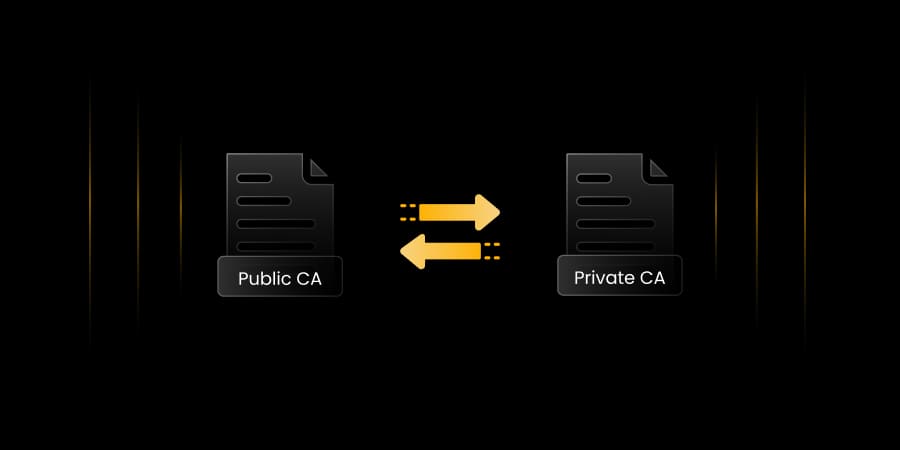
You can list more than one CA in your CAA records. This is useful for organizations that use different CAs for different purposes, such as a public CA for customer-facing services and a private CA for internal systems. Each authorized CA gets its own CAA entry, and the CA must match at least one entry to proceed with certificate issuance.
Understanding the issue, issuewild, and iodef Tags
CAA records use three main property tags to control certificate issuance. Each tag does something different, and understanding all three is important for setting up your records correctly.
Issue: This tag names which CA is allowed to issue standard certificates for your domain. For example, 0 issue “digicert.com” gives DigiCert permission to issue certificates for that domain.
Issuewild: This tag controls which CAs can issue wildcard certificates, such as *.example.com. This is separate from the issue tag, so you can have a more open policy for standard certificates but a stricter one for wildcard certificates, depending on your security needs.
Iodef: This tag tells CAs where to send a report if they receive a certificate request that violates your policy. You can point it to an email address or a URL, like this:
0 iodef "mailto:[email protected]"One thing to watch out for: if you only set an issuewild tag without an issue tag, any CA can still issue standard certificates for your domain. The two tags are independent, so always configure both to make sure your policy is complete.
CAA Tag Reference: issue, issuewild, and iodef
Use this table as a quick reference when configuring or auditing CAA records. Each row covers what the tag controls, an example syntax, when to use it, and the failure mode if it is omitted or misconfigured. All three tags should be reviewed quarterly against the current certificate-to-CA mapping from the CLM inventory.
| Tag | What It Controls | Example Syntax | When to Use | Failure Mode If Omitted or Misconfigured |
|---|---|---|---|---|
| issue | Which CA(s) may issue standard (non-wildcard) SSL/TLS certificates for the domain. Multiple issue entries are permitted, one per authorized CA. Setting the value to an empty string (0 issue “”) prohibits all CAs from issuing standard certificates. | 0 issue “digicert.com” 0 issue “letsencrypt.org” | Always. Every domain should have at least one issue tag explicitly listing every CA authorized to issue standard certificates for that domain. Without this tag, any CA can issue standard certificates regardless of other tags present. | Omitted: any CA can issue standard certificates. Lists wrong CA: renewal fails when the active CA checks the CAA record and finds itself not listed; at 47-day validity this causes renewal failures approximately 8 times per year per affected certificate. |
| issuewild | Which CA(s) may issue wildcard SSL/TLS certificates (*.domain.com) for the domain. Independent of the issue tag. If issuewild is absent, wildcard certificate issuance falls back to the issue tag restrictions. | 0 issuewild “digicert.com” 0 issuewild “” (blocks all wildcard issuance) | Any domain for which wildcard certificates are or could be issued. Set explicitly to either authorize specific CAs for wildcard issuance or prohibit wildcard issuance entirely (0 issuewild “”) for domains that do not require wildcards. | Omitted: wildcard issuance falls back to issue tag, which may be more permissive than intended. Misconfigured (lists CA not used for wildcards): wildcard renewal fails. Not setting issuewild when issuewild is not needed is acceptable if issue tag controls are sufficient. |
| iodef | Where CAs should send a report when they receive a certificate issuance request that violates the domain’s CAA policy. Accepts an email address (mailto:) or a URL endpoint. Does not block issuance; provides notification only. | 0 iodef “mailto:[email protected]” 0 iodef “https://example.com/caa-report” | Any domain with issue or issuewild records. The iodef tag is the notification mechanism that makes CAA policy enforcement observable. Without it, policy violations are silent: the CA refuses but the domain owner is never notified. | Omitted: policy violations are silent; no notification is sent when an unauthorized CA receives a certificate request for the domain. Endpoint not monitored: notifications arrive but no one acts on them, eliminating the operational value of the iodef tag. |
Why CAA Records Are Essential for Domain Security
Unauthorized certificate issuance is a real problem. Whether it happens through social engineering, a mistake at the CA, or a compromised system, certificates have been wrongly issued for well-known domains. When that happens, attackers can intercept encrypted traffic, run man-in-the-middle attacks, or pretend to be legitimate services.
CAA records do not prevent every possible attack, since they rely on CAs checking and following them, and compliance is governed by the CA/Browser Forum. But since September 2017, all publicly trusted CAs are required by the CA/Browser Forum Baseline Requirements to check CAA records before issuing. A CA that ignores this risks losing its trusted status, which is a serious consequence.
CAA records also support regulatory compliance. Under frameworks like SOC 2, ISO 27001, and PCI DSS, being able to show that you control which CAs issue certificates for your domain is a solid, documentable security control. It helps with audits and shows your organization is managing domain security properly.
How Certificate Authorities Validate CAA Records
When a CA receives a certificate request, it runs a DNS lookup for CAA records on the fully qualified domain name (FQDN) in the request. If records are found and the CA is not listed, it refuses to issue. If the DNS query fails due to a SERVFAIL, timeout, or misconfiguration, the CA must also refuse. This fail-secure approach means that a broken setup protects you rather than leaving you exposed.
DNSSEC adds another layer of protection here. Without DNSSEC, CAA records can be spoofed through DNS cache poisoning, where an attacker inserts false records that allow their chosen CA to issue a certificate. When your DNS zones are signed with DNSSEC, the accuracy and integrity of your CAA records are guaranteed at the cryptographic level.
If no CAA record exists for a specific FQDN, the CA walks up the DNS tree to the parent domain, then the grandparent, until it finds one. This means a single CAA record at your apex domain can cover your entire domain namespace, which is a very efficient way to enforce policy at scale.
CAA Configuration: Requirements, Failure Modes, and Monitoring Signals
Use this table to map each CAA configuration requirement to its validation method, the failure mode when the requirement is not met, the monitoring signal that surfaces the failure, and the authoritative policy source. CAA records and the CA/Browser Forum Baseline Requirements are reviewed on a quarterly cadence and may be updated independently.
| Requirement | Validation Method | Failure Mode | Monitoring Signal | Policy Source |
|---|---|---|---|---|
| CAA records present for every externally resolvable domain | DNS lookup (dig TYPE257 domain.com or dig CAA domain.com); MX Toolbox CAA check; SSLMate CAA Record Generator; CLM platform domain audit | No CAA record: any publicly trusted CA can issue certificates for the domain; unauthorized issuance goes undetected until a CT log monitor or iodef report surfaces it | CLM platform domain audit showing domains with no CAA records; CT log monitoring alert for unexpected certificate issued for an unprotected domain | RFC 6844 (CAA standard); RFC 8659 (CAA update); CA/Browser Forum Baseline Requirements Section 3.2.2.8 (CAA checking mandate, effective September 2017) |
| issue and issuewild tags match all CAs actively issuing for the domain | Compare CLM certificate inventory (which CA issued each certificate for each domain) against the CAs listed in the CAA record for that domain; confirm every active CA is listed; test by requesting a certificate renewal through each authorized CA and confirming the CAA check passes | CAA record omits an active CA: certificate renewal fails at the CA’s CAA check; at 47-day maximum validity (SC-081v3, March 2029) this causes renewal failures approximately 8 times per year per affected certificate; failure appears as a CA refusal error rather than an expiry warning | Certificate renewal failure alerts in CLM platform correlated with CAA lookup errors; CA error responses citing CAA policy during renewal; CLM inventory comparison showing CA mismatch between certificate issuer and CAA record contents | RFC 6844 Section 4 (CAA property tags); CA/Browser Forum Baseline Requirements Section 3.2.2.8; CA/B Forum SC-081v3 (approved April 2025) for renewal frequency context |
| iodef endpoint is configured and monitored | Confirm iodef tag is present in CAA record for all domains; test iodef endpoint is reachable and correctly formatted; confirm iodef reports are routed to SIEM or ticketing system and reviewed within defined SLA; note: not all CAs implement iodef reporting; confirm iodef support with each authorized CA | Iodef tag absent: policy violations are silent; an unauthorized CA receives a certificate request but the domain owner is never notified; the violation is only discoverable through CT log monitoring. Iodef endpoint not monitored: notifications arrive but no one acts on them | SIEM or ticketing system alert on new iodef report received; gap in iodef report review log identified during quarterly audit; CT log monitoring alert for unexpected certificate that should have triggered an iodef report | RFC 6844 Section 5.4 (iodef property tag); CA/Browser Forum Baseline Requirements Section 3.2.2.8 |
| DNSSEC signed for all domains with CAA records | External DNSSEC validator (DNSViz, Verisign DNSSEC Analyzer); confirm AD flag is set on CAA record responses from DNSSEC-validating resolvers; confirm RRSIG records are present and not expired for the zone | No DNSSEC: CAA records are vulnerable to DNS cache poisoning; an attacker can insert false CAA records authorizing their chosen CA to issue a fraudulent certificate; the CAA record provides policy enforcement only against honest CAs, not against active attackers manipulating DNS | DNSSEC validation failure from external validators; AD flag not set on CAA record DNS responses; RRSIG expiry warnings from DNS monitoring; certificate issued for a domain with a spoofed CAA record (detected via CT log monitoring) | RFC 4033-4035 (DNSSEC); RFC 6844 Section 3 (recommends DNSSEC for CAA); NIST SP 800-81-2 (DNSSEC deployment guidance) |
| CAA records updated when CA relationships change | Confirm CA onboarding and offboarding processes include a CAA record update step; audit CAA records against the current certificate-to-CA mapping quarterly; test renewal through any CA added or removed since the last audit to confirm CAA records are correct | CAA record lists a CA no longer in use: no immediate failure but unnecessary authorized issuer exposure persists. CAA record does not list a newly onboarded CA: certificate renewals fail immediately for all certificates being migrated to the new CA | Certificate renewal failure alerts in CLM platform during CA migration; CLM inventory comparison showing newly onboarded CA not listed in CAA record; quarterly CAA audit identifying stale CA entries in CAA records for domains where that CA is no longer issuing | RFC 8659 Section 4 (CAA record maintenance); CA/Browser Forum Baseline Requirements Section 3.2.2.8; internal CA onboarding and offboarding change management policy |
Best Practices for Configuring and Managing CAA Records
Setting up CAA records is straightforward but doing it well takes some planning. Here are the key practices to follow:
- Audit your certificate inventory first: Before adding CAA records, find out which CAs are already issuing certificates for your domains. Tools like crt.sh can help you do this. If you restrict issuance to a CA you are not actually using, certificate renewals will fail.
- Set both issue and issuewild tags explicitly: Do not assume that one covers the other. Be clear about which CAs can issue standard and wildcard certificates and keep a record of why each CA is authorized.
- Add an iodef tag and actually monitor it: Reports only help if someone reads them. Connect your iodef endpoint to your security team’s ticketing system or SIEM, and treat any violation alerts seriously.
- Use CAA records alongside DNSSEC: DNSSEC makes sure your CAA policy cannot be faked at the DNS level. If your zones are not yet DNSSEC signed, this is a good reason to get started.
- Test your CAA records after publishing: Use tools like dig, the SSLMate CAA Record Generator, or MX Toolbox to check that your records are resolving correctly from multiple locations.
- Update CAA records whenever your CA relationships change: Any time you switch CAs, sign a new vendor, or go through a merger, update your CAA records to match. Outdated records can be just as risky as missing ones.
How Encryption Consulting Can Help
Setting up CAA records correctly starts with knowing exactly which Certificate Authorities are already issuing certificates for your domains. Without that inventory, you risk locking out a CA that is actively renewing certificates, which causes outages the moment a renewal fails. That audit is where most organizations get stuck, and it is where CertSecure Manager makes the biggest difference.
CertSecure Manager is Encryption Consulting’s Certificate Lifecycle Management platform. It gives your team a complete, continuously updated inventory of every SSL/TLS certificate across your environment, including which CA issued each one, when it expires, and where it is deployed. That visibility is exactly what you need before writing a single CAA record. For full cryptographic estate visibility beyond certificates, CBOM Secure extends discovery to algorithms, keys, and cryptographic dependencies across cloud, on-premises, and hybrid environments.
Here is how CertSecure Manager addresses each of these challenges:
Certificate Discovery and Inventory: Our CertSecure Manager scans your network and cloud environments to surface every certificate in use, no matter which CA issued it. Before you restrict issuance through CAA records, you need to know what is already out there. It handles that step automatically.
CA Relationship Tracking: As your CAA policy is only as accurate as your knowledge of which CAs you actually use, CertSecure Manager keeps your certificate inventory current so your CAA records stay aligned with reality, even as your environment grows or your CA relationships change.
Renewal Automation: Once your CAA records are in place, any certificate renewal that goes to an unauthorized CA will fail. CertSecure Manager automates renewals through your authorized CAs, so there are no last-minute surprises when a certificate is about to expire.
Audit Trail for Compliance: For frameworks like SOC 2, ISO 27001, and PCI DSS, being able to demonstrate control over certificate issuance is a documentable security control. CertSecure Manager logs every certificate event, giving your compliance team the evidence they need.
CAA records give you policy. CertSecure Manager gives you the visibility and automation to make that policy work consistently across your entire certificate environment. For organizations building or expanding private PKI infrastructure, PKI as a Service provides a fully managed CA hierarchy where internal CA usage integrates cleanly with CAA record governance. For post-quantum migration planning of DNSSEC zone signing algorithms used alongside CAA, track requirements through the PQC Center of Excellence.
Conclusion
CAA records are easy to miss because they work quietly in the background but leaving them out creates a real security gap. As certificate misissuance continues to be a risk across the internet, domain owners need to take control of who can issue certificates on their behalf. CAA records give you that control in a simple, standardized way.
When CAA records are set up correctly and paired with DNSSEC, a monitored iodef endpoint, and a solid certificate management process, they become a meaningful part of your PKI strategy. They are not hard to implement, but they do need to be kept up to date as your environment changes.
This guide is reviewed on a quarterly cadence, and immediately whenever the CA/Browser Forum updates its Baseline Requirements CAA checking rules or introduces new CAA property tags.
Frequently Asked Questions
What is the main takeaway from CAA Records Explained: Defining Which Certificate Authorities Can Issue for Your Domain?
CAA records are a DNS issuance control (RFC 6844, updated RFC 8659) that restricts which Certificate Authorities can issue SSL/TLS certificates for your domain, enforced by the CA/Browser Forum Baseline Requirements since September 2017. A domain without CAA records allows any publicly trusted CA to issue certificates for it. Three tags control issuance: issue (standard certificates), issuewild (wildcard certificates), and iodef (violation reporting). DNSSEC protects CAA records from spoofing. The issue and issuewild tags are independent; setting one without the other leaves half the certificate namespace uncontrolled.
Why do CAA records matter for enterprise PKI teams?
Enterprise PKI teams face two CAA-related risks. A domain without CAA records is open to certificate issuance by any of the 100-plus publicly trusted CAs, any one of which can be compromised or coerced. The DigiCert Trust Pulse Survey (July 2, 2025) found 45 percent of enterprises experienced certificate-related downtime; misconfigured CAA records that omit an active CA cause renewal failures producing exactly that downtime. At 47-day maximum TLS validity from March 2029 (CA/B Forum SC-081v3, approved April 2025), a misconfigured CAA record causes renewal failures approximately eight times per year per affected certificate.
What risks increase if CAA records are not configured or are managed manually?
Three risk categories increase: open issuance exposure (without CAA records, any publicly trusted CA can issue certificates for the domain); misconfiguration blocking renewals (a CAA record that omits an active CA causes renewal failures, eight times per year at 47-day validity); and wildcard gap (configuring issue without issuewild, or issuewild without issue, leaves half the certificate namespace uncontrolled).
Which teams should own CAA record configuration and maintenance?
DNS and infrastructure teams own CAA record publication and DNSSEC maintenance. PKI and certificate teams own the certificate-to-CA mapping that determines which CAs must be listed. Security architects own the governance model: issue versus issuewild policy, iodef endpoint monitoring, and unauthorized issuance response playbook. Compliance teams own the audit evidence confirming CAA records are present, accurate, and current for all in-scope domains.
How do CAA records connect to certificate lifecycle management?
CAA records are a lifecycle dependency: every certificate renewal triggers a CAA lookup at the issuing CA. A CAA record that omits the renewing CA causes the renewal to fail. CertSecure Manager provides the certificate inventory needed to confirm which CAs must be listed before publishing CAA records and automates renewals through authorized CAs so CAA mismatches do not cause outages.
How should organizations measure success in CAA record deployment?
Key metrics: 100 percent of organization-owned domains with CAA records present; 100 percent of CAA records matching the current certificate-to-CA mapping from the CLM inventory; zero certificate renewal failures attributable to CAA misconfiguration; iodef reports reviewed within defined SLA (target: 100 percent within 24 hours); and DNSSEC signing coverage for 100 percent of domains with CAA records.
What should be audited or monitored regularly?
Monitor continuously: iodef reports from all authorized CAs with automated alerting; certificate renewal failure events correlating with CAA lookup errors. Audit quarterly: CAA record presence for all organization-owned domains; CAA record accuracy against the current certificate-to-CA mapping; DNSSEC signing status for all domains with CAA records; and CA/B Forum Baseline Requirements for any CAA-related updates.
How do CAA records affect cloud, hybrid, or multi-CA PKI environments?
Multi-CA environments are where CAA records become most complex: each domain may have multiple authorized CAs (public CA for customer-facing TLS, private CA for internal services, cloud-provider CA for cloud-native workloads), and the CAA record must list all of them accurately. Cloud-provisioned subdomains not in the DNS inventory create coverage gaps. A CLM platform with cross-environment discovery is the prerequisite for accurate CAA records across a multi-CA and multi-cloud estate.
What common mistakes should teams avoid?
The most frequent mistakes: publishing CAA records before auditing which CAs are actively issuing (causes renewal failures if an active CA is omitted); setting issuewild without also setting issue (leaves standard certificate issuance open to any CA); not including all CAs used across subdomains; not configuring DNSSEC (leaves CAA records vulnerable to DNS cache poisoning); and not monitoring iodef reports (eliminates the notification value of the iodef tag).
What should be refreshed quarterly?
Quarterly: compare CAA records against the current certificate-to-CA mapping from the CLM inventory; confirm DNSSEC is signing all domains with CAA records; review iodef reports from the prior quarter; confirm new domains added since the last audit have CAA records; and verify CA/B Forum Baseline Requirements have not introduced new CAA checking rules. For post-quantum DNSSEC algorithm migration planning, check the PQC Center of Excellence. This post is reviewed quarterly.
- Quick Answer: What Is a CAA Record?
- Key Takeaways
- Who Should Care About CAA Records
- What Is a CAA Record?
- How CAA Records Define Authorized Certificate Authorities
- Understanding the issue, issuewild, and iodef Tags
- CAA Tag Reference: issue, issuewild, and iodef
- Why CAA Records Are Essential for Domain Security
- How Certificate Authorities Validate CAA Records
- CAA Configuration: Requirements, Failure Modes, and Monitoring Signals
- Best Practices for Configuring and Managing CAA Records
- How Encryption Consulting Can Help
- Conclusion
- Frequently Asked Questions