- Key Takeaways
- The Schedule That Changes the Renewal Math
- Why Human-Paced Renewal Breaks Down
- Real-World Case Study: Let's Encrypt's May 2026 Incident
- What Certificate Renewal Automation Looks Like
- Six Building Blocks of Automated Certificate Lifecycle Management
- A Phased Roadmap to Machine-Paced Renewal
- Common Automation Mistakes to Avoid
- How Encryption Consulting Can Help
- Conclusion
- FAQ
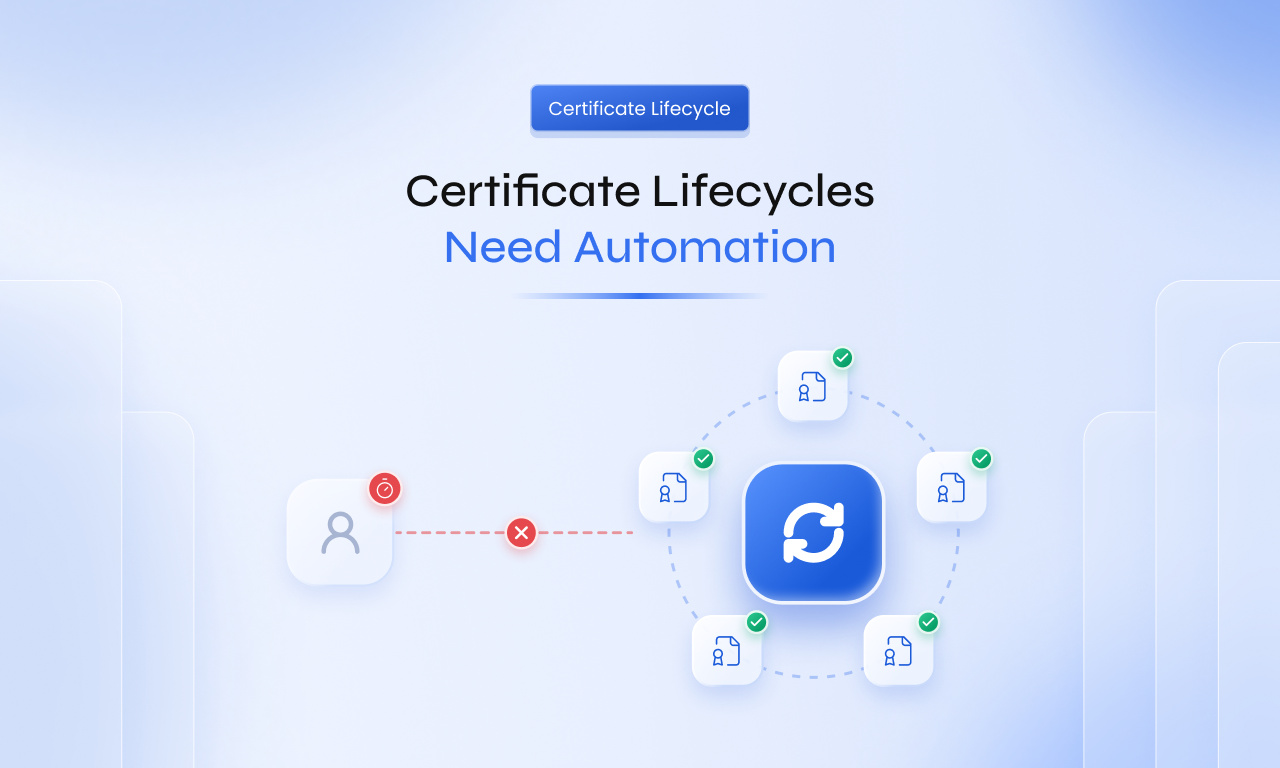
For years, renewing a public TLS certificate was a once-a-year task. Someone received a reminder, generated a Certificate Signing Request (CSR), proved domain control, and installed the new certificate. That rhythm is ending, and certificate renewal automation is becoming the only workable model. Publicly trusted TLS certificates issued today are already capped at 200 days. The cap falls to 100 days on March 15, 2027, and to 47 days on March 15, 2029.
The shorter lifetime is only part of the change. The period for which a Certificate Authority (CA) can reuse a domain validation result is shrinking on the same schedule, down to 10 days by 2029. A renewal process that depends on people noticing dates and completing manual steps cannot keep up at that pace, and every missed renewal becomes a potential outage.
This blog explains why human-paced renewal breaks down, what the May 2026 Let’s Encrypt incident showed about ACME Renewal Information (ARI), what fully automated certificate operations require, and how Encryption Consulting helps organizations make the move before the 100-day stage arrives.
Key Takeaways
- Under CA/Browser Forum Ballot SC-081v3, the maximum validity of publicly trusted TLS certificates falls from 200 days today to 100 days on March 15, 2027, and to 47 days on March 15, 2029.
- At 47 days, each public certificate needs at least 8 renewals a year, and about 12 when renewed with a safe buffer.
- Automating issuance alone is not enough. Discovery, ownership, domain validation, deployment, and monitoring must be automated too.
- Teams that design for 47 days now, rather than 100 days, avoid rebuilding their processes twice.
The Schedule That Changes the Renewal Math
The CA/Browser Forum adopted Ballot SC-081v3 in April 2025. Apple proposed it, and Sectigo, Google Chrome, and Mozilla endorsed it. It passed with 25 CA votes in favor, none against, and 5 abstentions, with all four browser members (Apple, Google, Microsoft, and Mozilla) voting yes.
The schedule applies to publicly trusted TLS server certificates:
| Effective date | Maximum certificate validity | Maximum domain validation reuse | Minimum renewals per year* |
|---|---|---|---|
| Before March 15, 2026 | 398 days | 398 days | About 1 |
| March 15, 2026 (in effect) | 200 days | 200 days | About 2 |
| March 15, 2027 | 100 days | 100 days | About 4 |
| March 15, 2029 | 47 days | 10 days | About 8 |
*Minimum renewals, calculated as 365 days divided by maximum validity. Renewing at about two-thirds of the lifetime, a common safety margin, raises the 47-day figure to about 12 renewals per certificate per year.
Some CAs are moving even faster. Let’s Encrypt has offered 45-day certificates since May 13, 2026, through its opt-in “tlsserver” profile. Its default certificates will drop from 90 days to 64 days on February 10, 2027, and to 45 days on February 16, 2028. Over the same period, its authorization reuse period falls to 10 days in February 2027 and to just 7 hours in February 2028, which makes automated domain validation essential.
The CA/Browser Forum reasons that “certificates are representations of a point-in-time state of reality.” Shorter lifetimes limit how long outdated validation data is trusted and reduce reliance on revocation. For a full explainer of each phase, see our 47-day certificate validity guide.
Why Human-Paced Renewal Breaks Down
Manual renewal assumes a person will notice an upcoming expiry and complete every step correctly. At one renewal a year, that mostly works. At eight to twelve renewals a year, it fails in predictable ways:
- Volume outgrows the team: An estate of 2,000 public certificates goes from about 2,000 renewals a year to 16,000-24,000.
- Domain validation joins every renewal: With 10-day DCV reuse, most renewals need fresh proof of domain control. Email approvals and manual DNS records become the bottleneck.
- The safety margin disappears: A 398-day certificate renewed a week late still had months to spare. A 47-day certificate renewed on day 31 leaves about two weeks to recover from a failure.
- Ownership is unclear: Certificates outlive the people who requested them, and renewal notices go to inboxes nobody checks.
- Installation is still manual: Many teams automate issuance but still copy certificates to load balancers and servers by hand.
- Emergency replacement is too slow: The Baseline Requirements require CAs to revoke certificates within 24 hours or 5 days, depending on the reason, with key compromise among the 24-hour cases. A manual process cannot replace a large estate in that time, and the Let’s Encrypt incident below shows how quickly a CA can ask you to act.
These are not skill problems. They result from asking people to do work that now happens at machine speed. We cover this in more depth in Why Manual Certificate Lifecycle Management Is Now Obsolete.
The takeaway: Shorter lifetimes do more than add work. They remove the margin that let manual processes absorb errors and delays.
Real-World Case Study: Let’s Encrypt’s May 2026 Incident
What Happened
On May 8, 2026, Let’s Encrypt, one of the most widely used public CAs, temporarily paused certificate issuance. According to its incident report, cross-signed intermediate certificates in its new Generation Y hierarchy had been issued without the serverAuth Extended Key Usage (EKU) extension. Common CA Database (CCADB) policy requires that extension in cross-signed intermediates issued since June 15, 2025.
Let’s Encrypt deployed a fix and re-enabled issuance. On May 13, 2026, it announced it was revoking and reissuing the affected cross-signed certificates and advised subscribers using its “tlsserver” and “shortlived” profiles to renew their certificates. It also confirmed that its ACME Renewal Information (ARI) API was “signaling affected certificates to renew now.”
How Automated and Manual Teams Experienced It
End-entity certificates were not revoked, so most subscribers saw no disruption. However, Let’s Encrypt warned that certificates issued from its new YE and YR roots might not chain to its older X1 and X2 roots without the updated cross-signed intermediate. For that reason, it asked “tlsserver” and “shortlived” users to renew. The difference was in how affected teams responded:
- Teams with ARI-aware ACME clients: Their clients received the renewal signal from the CA and replaced the affected certificates on their own. No ticket, meeting, or change window was needed.
- Teams renewing manually: They had to spot the incident report, work out which certificates were affected, and renew them by hand. All of it happened on the CA’s timeline rather than their own.
Why This Matters to Security Leaders
The incident was resolved within days, but it shows three things every security and IT leader should plan for:
- Your risk depends on your CA, not only on your own processes. A compliance issue at a CA can require you to replace certificates even when your team did nothing wrong.
- The CA sets the clock. When a CA asks for early renewal, your change calendar does not decide how much time you have.
- Automation turns an incident into a non-event. The same event was routine for automated teams and urgent work for manual ones.
Three questions are worth asking your team today: Do our ACME clients support ARI? How many public certificates could we replace within 24 hours? Who would see a CA incident notice, and what would they do next? For more on what changed at Let’s Encrypt that month, read Why Let’s Encrypt’s May 13 Changes Matter.
What Certificate Renewal Automation Looks Like
In a machine-paced model, every lifecycle step runs automatically under policy. People handle exceptions and design decisions, not routine renewals.
| Lifecycle step | Manual renewal today | Automated renewal |
|---|---|---|
| Inventory | Spreadsheet updated occasionally | Continuous discovery across CAs, networks, and cloud |
| Ownership | Requester’s name in an old ticket | Owner and application recorded at issuance |
| Renewal trigger | Calendar reminder before expiry | Client renews at a policy-defined point, guided by ARI |
| Domain validation | Email approval or manual DNS record | Automated DNS-01, HTTP-01, or DNS-PERSIST-01 |
| Issuance | Manual CSR and portal upload | Automated request through ACME, EST, SCEP, or REST |
| Deployment | Files copied by hand in a change window | Certificate pushed, service reloaded, result verified |
| Exceptions | Found during an outage | Alert sent to the owner when any step fails |
The takeaway: Automation that stops at issuance moves the bottleneck to deployment. A certificate is only renewed once the new one is being served.
Six Building Blocks of Automated Certificate Lifecycle Management
1. Complete Discovery and Clear Ownership
You cannot automate what you cannot see. Discovery should run continuously across public and private CAs, network endpoints, load balancers, cloud services, and containers. CBOM Secure extends that visibility to the keys and algorithms behind each certificate.
- Discover continuously: New certificates should appear in the inventory without anyone adding them.
- Record ownership at issuance: Make owner, application, and environment required fields in every request.
- Prioritize by impact: Automate the certificates behind critical services first.
The takeaway: Automation can only renew the certificates it knows about, and only escalate failures to someone who owns them.
2. Standard Enrollment Protocols and ARI
Automation should rely on standard protocols, not custom scripts. The Automatic Certificate Management Environment (ACME), defined in RFC 8555, is the most widely used standard for web servers and cloud workloads. EST and SCEP remain common for network devices, while REST APIs suit applications without a protocol client.
ACME Renewal Information, published as RFC 9773, lets a CA tell clients when to renew, including asking for early renewal ahead of a mass revocation. Let’s Encrypt has warned that renewing at a fixed 60-day interval will not work for 45-day certificates.
- Use ARI-capable clients, so CA renewal guidance is followed automatically.
- Renew by percentage, not fixed days: Renewing at a share of the lifetime keeps working as lifetimes shrink.
- Keep private keys protected: Generate keys on the endpoint or in a Hardware Security Module (HSM), and never send them through tickets or email.
- Avoid CA lock-in: Standard protocols let you move issuance to another CA through configuration if your primary CA has an incident.
Learn how CertSecure Manager handles this in Why CertSecure Manager Is the Ultimate Choice for ACME Protocol Automation.
The takeaway: Standard protocols and ARI let renewal timing adjust automatically, even during CA incidents.
3. Automated Domain Control Validation
Domain Control Validation (DCV) is where many automation projects stall. Email validation needs a person to click a link. DNS-01 needs API access to DNS, which another team often controls.
The CA/Browser Forum added a new method, DNS-PERSIST-01, through Ballot SC-088v3. The domain owner publishes one persistent DNS record that authorizes a specific CA and account, instead of a new record for each validation. CA support is still rolling out, so confirm availability with your CA.
- Retire email validation for domains that renew often.
- Scope DNS API access to only the zones and records needed.
- Evaluate DNS-PERSIST-01 where it fits your DNS ownership model.
For implementation details, see Understanding 10-Day Domain Control Validation and Persistent DCV and DNS Connectors.
The takeaway: With a 10-day reuse window, if DCV is manual, renewal is manual.
4. Deployment and Service Reload: The Last Mile
A renewed certificate in a management console does not prevent an outage. It must be installed on every endpoint, loaded by the service, and served with the correct chain.
- Use native integrations for load balancers, web servers, and cloud services instead of manually copying files.
- Deploy the full chain: Include intermediates, especially when a CA changes its hierarchy.
- Pre-approve routine renewals as standard changes so they do not wait for a weekly change board.
The takeaway: Renewal is complete only when the new certificate is live.
5. Monitoring the Automation Itself
Automation can fail silently. An expired API token or a moved DNS zone can stop renewals with no warning until a certificate expires.
- Alert on failed renewals, not just approaching expiry dates.
- Check live endpoints to confirm the expected certificate is being served.
- Track your automation rate: The share of certificates renewed and deployed with no manual step is the best readiness metric.
For more on catching failures early, read Why Certificate Outages Keep Happening.
The takeaway: Unmonitored automation moves the outage to a later date.
6. Policy, Governance, and Audit Evidence
When issuance is policy-driven, the policy becomes the control.
- Define certificate profiles centrally, including approved CAs, key types, and maximum validity.
- Require approvals only where risk justifies them, such as new domains or wildcard certificates.
- Keep a complete audit trail of requests, issuance, deployment, and revocation.
The takeaway: Policy-driven automation enforces the same rules on every certificate, every time.
A Phased Roadmap to Machine-Paced Renewal
A phased plan aligned with the CA/Browser Forum schedule keeps the work manageable:
- Next 60 to 90 days, gain visibility: Discover all certificates, record owners, and identify every certificate still renewed by hand.
- Before March 15, 2027, automate critical paths: Move high-impact endpoints to ACME- or CLM-driven renewal with automated DCV and deployment. Start as soon as the first critical certificates are identified, in parallel with step 1.
- 2027 to 2028, expand coverage: Extend automation to appliances, legacy servers, and internal workloads, and add renewal-failure monitoring.
- Before March 15, 2029, prove 47-day readiness: Test 47-day lifetimes in non-production, confirm DCV works within 10 days, and test CA failover.
For a team-by-team readiness plan through 2029, see our guide PKI in 2026: How to Survive the 47-Day TLS Certificate Era.
Common Automation Mistakes to Avoid
Beyond the building blocks above, two risks are easy to miss because they sit outside the renewal workflow itself:
- Certificate pinning: Applications that pin a specific certificate or intermediate can break when certificates rotate more often or when a CA changes its hierarchy, as Let’s Encrypt did with its Generation Y roots. Review pinned applications before moving them to short-lived certificates.
- Assuming private PKI is out of scope: SC-081v3 covers only publicly trusted TLS certificates, not internal CAs such as Microsoft Active Directory Certificate Services (AD CS). Internal estates often face the same scale problem, and running two different renewal models for public and private certificates adds complexity rather than removing it.
How Encryption Consulting Can Help
CertSecure Manager: Automate the Full Certificate Lifecycle
CertSecure Manager is Encryption Consulting’s certificate lifecycle management solution, built for shorter certificate lifetimes:
- Continuous discovery across Microsoft, public, and private CAs, including unknown and rogue certificates.
- Standard protocols: ACME, EST, SCEP, and REST APIs for servers, containers, and DevOps pipelines.
- Automated deployment through agents and integrations for F5 BIG-IP, Apache, Nginx, IIS, Tomcat, Azure Key Vault, HashiCorp Vault, and more.
- DCV automation with persistent DCV and DNS connectors.
- Policy controls for algorithms, FIPS requirements, CA access, and approval workflows.
- Monitoring and audit with expiration alerts, high-risk certificate reports, audit trails, and integrations with ServiceNow, Splunk, and Datadog.
It is available on-premises, in the cloud, as SaaS, or as a hybrid deployment.
PKI Assessment: Know Where You Stand
Encryption Consulting’s PKI Assessment reviews your PKI and certificate environment across technical, operational, and governance areas. It shows where renewal still depends on manual steps, where ownership is missing, and what to fix first. The result is a prioritized remediation roadmap you can align to the 2027 and 2029 deadlines.
Conclusion
The 200-day limit is already in effect. The 100-day limit arrives on March 15, 2027, and the 47-day limit with 10-day DCV reuse follows on March 15, 2029. Each step removes the margin manual processes depend on.
The teams that succeed will not be the ones renewing faster by hand. They will be the ones that make renewal a background process: discovered, validated, issued, deployed, and monitored without waiting for someone to notice a date.
To see how CertSecure Manager can automate renewal across your environment, request a demo or start a free trial.
If you would rather start with an assessment of where you stand today, explore our 47-Day Certificate Readiness program.
FAQ
When does the 47-day TLS certificate limit take effect?
Publicly trusted TLS certificates issued on or after March 15, 2029 can be valid for no more than 47 days under CA/Browser Forum Ballot SC-081v3. Before then, the limit is 200 days from March 15, 2026, and 100 days from March 15, 2027.
Does the 47-day rule apply to private or internal certificates?
No. SC-081v3 applies only to publicly trusted TLS server certificates. Certificates from an internal CA, such as Microsoft AD CS, follow your own certificate policy, although many organizations automate them as well.
What is ACME Renewal Information (ARI)?
ARI, published by the IETF as RFC 9773, is an ACME extension that lets a CA tell clients when to renew. It allows a CA to request early renewal, for example before a mass revocation, so ARI-aware clients replace certificates without manual work.
Why does the 10-day DCV reuse period matter?
From March 15, 2029, a CA can reuse a domain validation result for only 10 days. Since certificates will renew every few weeks, most renewals will need fresh validation. If DCV depends on email or manual DNS changes, renewal cannot be fully automated.
Is enabling ACME enough to be ready for 47-day certificates?
Usually not. ACME automates issuance, but organizations also need discovery, recorded ownership, automated domain validation, deployment on every endpoint, and monitoring that catches failed renewals before certificates expire.
- Key Takeaways
- The Schedule That Changes the Renewal Math
- Why Human-Paced Renewal Breaks Down
- Real-World Case Study: Let's Encrypt's May 2026 Incident
- What Certificate Renewal Automation Looks Like
- Six Building Blocks of Automated Certificate Lifecycle Management
- A Phased Roadmap to Machine-Paced Renewal
- Common Automation Mistakes to Avoid
- How Encryption Consulting Can Help
- Conclusion
- FAQ